Card terminals are good machines. We know because we have built them.
Every part has a purpose: the card reader, secure PIN entry, connectivity, battery and tamper-resistant hardware. A good terminal can sit on a counter for years and do one important job reliably.
SoftPOS offers another way.
Instead of requiring separate payment hardware, it turns a compatible phone, tablet or Android POS device into a contactless terminal. The customer taps their card, phone or watch directly against a device the merchant already uses.
It is tempting to frame this as a choice between old and new: card terminal or SoftPOS.
In practice, that is the wrong question.
Some merchants need the flexibility of SoftPOS. Others need dedicated hardware with features such as a printer, card reader, charging dock or customer-facing screen. Many businesses need both.
That is why Tapaya supports both paths. We are working with Sunmi to bring the same Tapaya payment platform to purpose-built terminal hardware, alongside SoftPOS on compatible Android devices.
The merchant should be able to choose the right device for the job without choosing a different payment system each time.
The decision is really about where payment happens
Imagine two businesses.
The first is a busy café with a fixed counter. Its terminal runs throughout the day, prints receipts and always sits in the same place. Staff know exactly where it is, and customers immediately recognise it.
The second is a catering company. It takes payments at markets, private events and temporary locations. Staff already carry Android phones, but the business must transport, charge and track a separate card terminal for every team.
Both businesses accept the same cards. They do not need the same hardware.
The café may be better served by a purpose-built Sunmi terminal running Tapaya. The catering company may prefer Tapaya SoftPOS on the phones its staff already carry.
A retailer might use both: dedicated terminals at the main counters and SoftPOS on staff devices when queues begin to grow.
The important choice is not between two payment providers. It is between two form factors running on the same payment infrastructure.
What SoftPOS changes

SoftPOS, also called Tap to Pay or Tap on Phone, uses the NFC hardware inside a compatible device to accept contactless payments.
The merchant enters the amount. The customer taps their contactless card, phone or watch against the device. If verification is needed, supported solutions can securely collect the customer's PIN on the screen.
There is no separate reader to pair, charge or carry.
This works particularly well when payment needs to move:
- A waiter taking payment at the table
- A delivery driver collecting payment at the door
- A retailer opening an extra checkout during a rush
- A tradesperson finishing a job at a customer's home
- A market trader working from a temporary stall
- A platform adding payments to its existing POS application
Adding another payment point becomes a software deployment rather than a hardware order.
For a software company, SoftPOS also allows the payment to begin inside the order, booking or invoice that created it. Staff no longer have to type the amount into a disconnected terminal, and the payment result flows back into the original application.
Why dedicated terminals still matter
SoftPOS does not make purpose-built terminals obsolete.
A dedicated terminal remains the better tool when the environment or payment flow requires it.
A merchant may need:
- A built-in receipt printer
- Chip-card acceptance
- A customer-facing display
- A charging dock
- A dedicated device that stays at the counter
- Hardware designed for long shifts
- A more rugged enclosure
- Connectivity independent of an employee's phone
This is where our work with Sunmi matters.
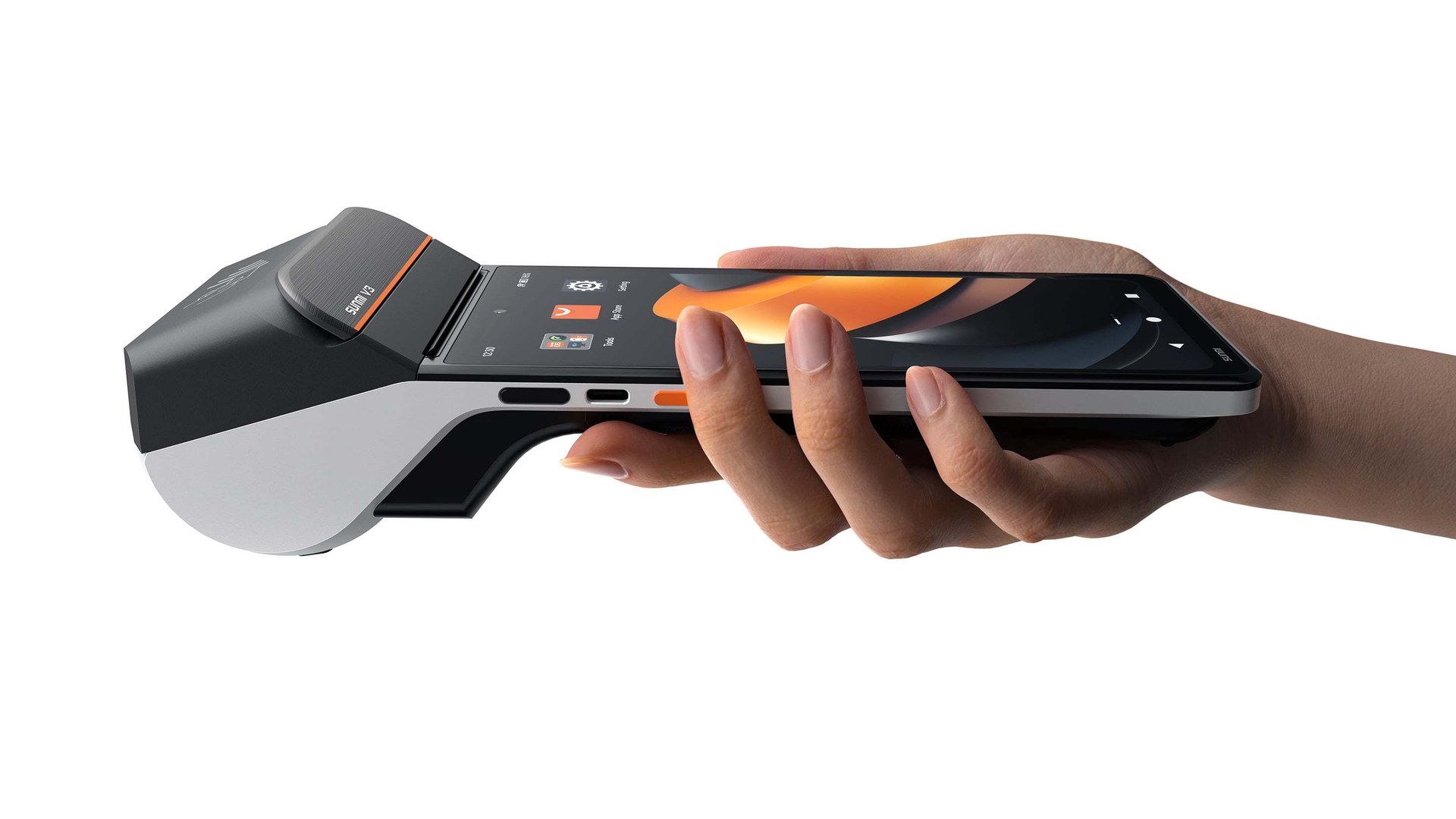
Sunmi builds Android hardware specifically for commercial environments. By bringing Tapaya to Sunmi devices, we can offer a purpose-built terminal experience without creating a separate payment platform underneath it.
A merchant can start with Tapaya on a phone, add a Sunmi terminal at the main counter and continue managing payments through the same Tapaya environment.
The hardware changes. The payment relationship does not.
SoftPOS and card terminals compared
| SoftPOS | Dedicated terminal | |
|---|---|---|
| Hardware | Uses a compatible phone, tablet or Android POS device | Uses purpose-built payment hardware |
| Setup | Install an app or integrate an SDK | Configure and deploy a terminal |
| Payments | Contactless cards and wallets; on-screen PIN where supported | Contactless, chip and other methods depending on the device |
| Mobility | Moves with the merchant's device | Depends on the terminal model |
| Scaling | Activate another compatible device | Deploy another terminal |
| Receipts | Digital, external printing or built-in printing on supported Android POS hardware | Often includes a built-in printer |
| Durability | Depends on the selected host device | Designed specifically for commercial use |
| Best fit | Mobile, temporary and integrated payment flows | Fixed counters and specialised operational environments |
Neither side is universally better.
A phone is ideal when staff are already carrying one. A dedicated terminal is ideal when payments need their own permanent device. A commercial Android terminal can sit somewhere between the two, combining purpose-built hardware with a software-driven payment platform.
Is SoftPOS as secure as a terminal?
Both approaches can be secure. They establish trust differently.
A traditional terminal begins with specialised, tamper-resistant hardware. Its physical components and payment software are evaluated as a controlled unit.
SoftPOS begins with a general-purpose device, so the payment software continuously checks whether the device remains trustworthy.
A properly designed SoftPOS solution checks whether:
- The device is rooted
- Its bootloader is locked
- Debugging is enabled
- The operating system meets the minimum version
- Cryptographic keys are protected by secure hardware
- The application or operating environment has been modified
If a critical requirement is no longer met, the payment software should refuse to process transactions.
The PCI Mobile Payments on COTS standard defines how contactless card data and PIN entry can be protected on commercial off-the-shelf devices.
The relevant question is therefore not simply whether a phone is secure. It is whether a certified payment solution is running on a compatible and uncompromised device.
Look beyond the transaction fee

The visible transaction rate is only one part of the cost of accepting payments.
Traditional terminal costs can include:
- Purchase or monthly rental
- Installation
- SIM cards and connectivity
- Replacement devices
- Shipping
- Charging docks and accessories
- Maintenance
- Terminal-management software
- Manual reconciliation with the till
SoftPOS can remove much of that hardware operation because the payment application is deployed to a device already in use.
But that does not mean the lowest-hardware option is always the cheapest operationally. A busy counter may run more efficiently with a dedicated terminal and printer. Replacing it with a consumer phone purely to save on hardware could make the workflow worse.
The right calculation includes the entire checkout experience, not only the advertised percentage.
Which should your business choose?
SoftPOS is likely the better starting point if:
- Most customers pay contactlessly.
- Staff already use compatible Android devices.
- Payments happen away from a fixed counter.
- You need to add payment points quickly.
- You want payments inside an existing POS or business application.
- You want to avoid buying or renting additional devices.
A dedicated terminal is likely the better choice if:
- You want a permanent device at the counter.
- Chip acceptance is an important fallback.
- Staff need a built-in printer or customer-facing display.
- The device must withstand demanding commercial use.
- You prefer payment acceptance to remain on separate hardware.
Choose both when different parts of the business have different needs.
That could mean a Sunmi terminal at the counter, SoftPOS on a phone for table service and additional devices activated during peak periods, all connected through Tapaya.
Start with one checkout
There is no need to replace every terminal on the first day.
Start with one device. Test successful and declined payments, PIN entry, receipts, refunds and network loss. Run it beside the existing terminal for several working days.
Ask the people taking payments where the new flow is faster and where it creates friction.
Then choose the right form factor for each location:
- Phone or tablet for mobility
- Commercial Android hardware for integrated operations
- Dedicated terminal for a permanent checkout
- A combination when the business needs all three
Payment infrastructure should become boring before it becomes widespread.
One platform, more than one form factor
Tapaya turns compatible Android phones, tablets, kiosks and commercial POS devices into certified contactless payment terminals.
Through our work with Sunmi, merchants can also use purpose-built hardware when a dedicated terminal is the better operational choice.
This means a merchant does not have to make one permanent decision between software and hardware.
They can start accepting payments on a phone, add a dedicated Sunmi device at the counter and use both as the business grows. The devices may be different, but onboarding, payment processing, reporting and settlement remain part of the same Tapaya platform.
For merchants, Tapaya offers pricing from 1.39% per transaction, no monthly fee for SoftPOS and payouts to an existing bank account on D+2.
For platforms, the same infrastructure is available through a white-label Android SDK, allowing payments to sit inside the platform's own product.
See Tapaya for merchants or learn how to embed payments with the Tapaya Accept SDK.
After building traditional card-terminal products and now working with software-based acceptance, my conclusion is simple:
The terminal is not the product.
The product is a payment that works reliably on the device that best fits the merchant, whether that is a phone, a purpose-built Sunmi terminal or both.